
Calculations follow commonly used HSE practices. Always confirm with your organization’s definitions and local regulations. References: OSHA 1904, ISO 45001, ILO OSH.
Inspection Form
Fields with * are required. Data is saved to your browser (localStorage).
Meta
Status (Tag) *
Not SetSelect a status to see the rule summary.
Access
Decking / Toe Boards
Guardrails
Ties / Bracing
Load / Condition
Guidance: Green = complete & safe; Yellow = incomplete or restrictions; Red = do not use.
🏗️ Scaffold Inspection Log & Tag – Complete Guide
A scaffold that looks sturdy can still hide dangerous defects. Daily inspections and a clear tag system ensure only safe scaffolds are used—and unsafe ones are locked out immediately. A Scaffold Inspection Log & Tag gives your team a fast, visual status at the access point and a defensible record for audits.
This guide explains what the log & tag system is, how to run inspections, what each tag color means, and how to document findings to stay compliant with OSHA/ILO/EN standards and your company procedures.
✅ What Is a Scaffold Inspection Log & Tag?
A Scaffold Inspection Log & Tag is a two-part safety control:
- Inspection Log – a structured checklist completed by a competent person at first erection, after modification/exposure to conditions that could affect stability, and at least daily before use.
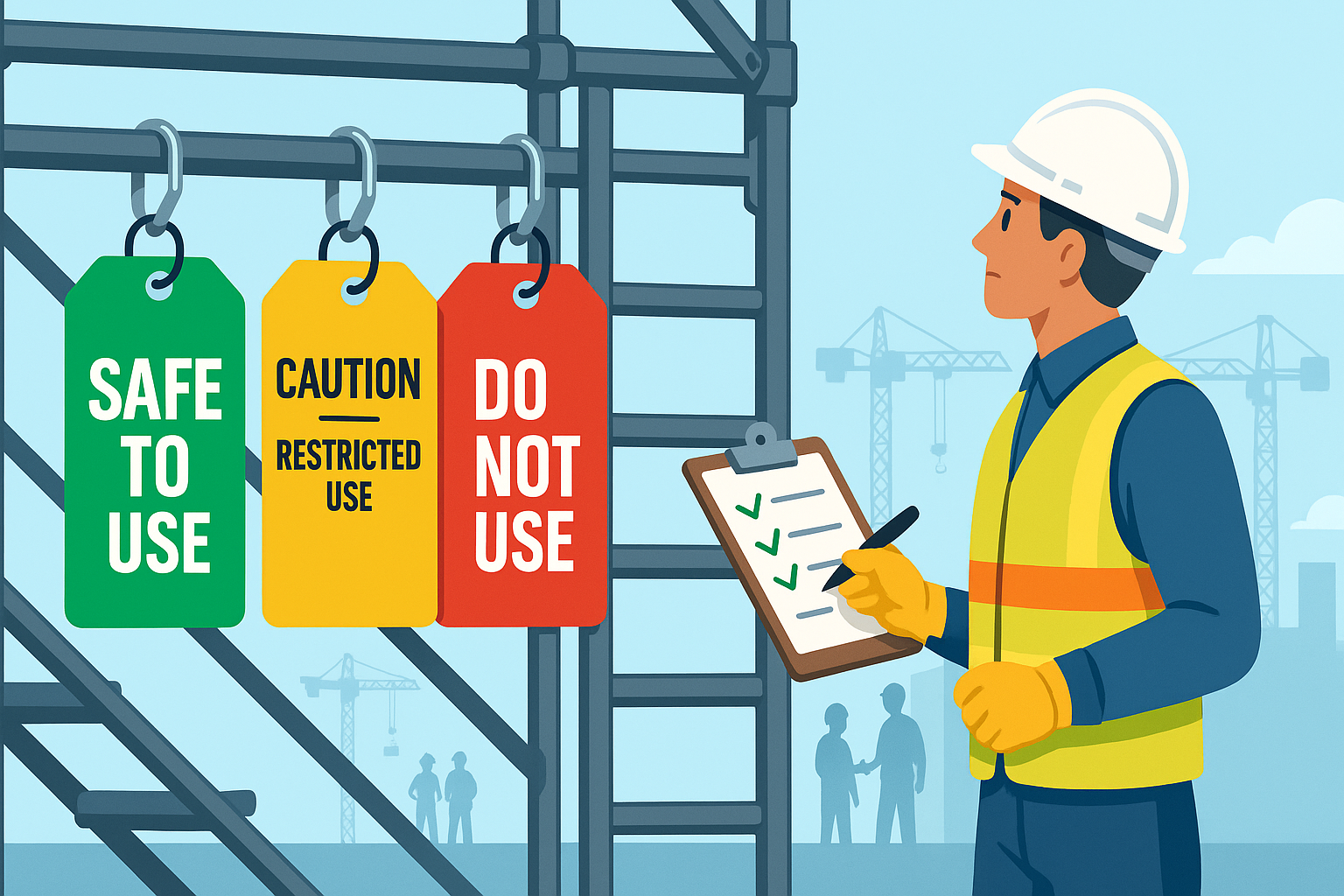
- Scaffold Tag – a color-coded status sign fixed at the main access point so workers instantly know if the scaffold is safe to use.
The tag does not replace the inspection—it communicates its result.
🟢🟡🔴 Tag Colors & Meanings
- 🟢 Green – SAFE TO USE
Scaffold assembled per design; access/egress, guardrails, bracing and platforms verified. Use within stated limits. - 🟡 Yellow – CAUTION (Restricted Use)
Some elements incomplete or temporary restrictions apply (e.g., limited bays, no materials storage, weather watch). Only competent persons may use per restrictions on the tag. - 🔴 Red – DO NOT USE
Defects or missing critical elements (e.g., missing guardrails, unstable base, inadequate ties). Access must be prevented until rectified and re-inspected.
📋 Key Components of a Scaffold Inspection Log
Meta
- Scaffold ID, location, drawing/reference
- Date/time of inspection, inspector’s name/ID
- Scaffold class/load rating, height, number of lifts
- Contractor/erector, permit references (if applicable)
Checklist Groups (examples)
- Access: secured ladders/stairs, 1 m handhold above landing, gates self-closing, tag posted
- Decking: full planking, proper spans, trapdoors closed, toe boards present
- Guardrails: top/mid/intermediate rails, openings protected, edge protection intact
- Ties/Bracing: tie spacing per design, ledgers/transoms/braces secure, base plates/sole boards, verticality
- Load/Condition: within design/class, components undamaged, no corrosion, netting/encapsulation secure, no unauthorised alterations
Result & Actions
- Tag status (Green/Yellow/Red)
- Restrictions/notes & next inspection date
- Corrective actions with owner and target date
Recordkeeping
- Signature of competent person
- Re-inspection after alteration, severe weather, impact, or relocation
🛠️ How to Use the Log & Tag (Step-by-Step)
- Identify the scaffold (ID, location, drawing).
- Inspect systematically using the five groups (Access, Decking, Guardrails, Ties/Bracing, Load/Condition).
- Assign status:
- Any critical element missing → 🔴 Red
- Restrictions or temporary conditions → 🟡 Yellow (list restrictions)
- Fully compliant per design → 🟢 Green
- Post the tag at the main access point.
- Record notes, actions, and the next inspection date (commonly daily for use, and at prescribed intervals or after changes).
- Close out actions and re-inspect before upgrading from Yellow/Red to Green.
Pro Tip: Put the specific restriction or defect on the tag (e.g., “Lift 3 closed,” “No materials storage,” “Awaiting additional ties East elevation”).
🧪 Example Findings & Good Actions
- Finding: Toe boards missing at Lift 2.
Status: 🟡 Yellow.
Action: Erect toe boards; competent person to re-inspect before upgrade to Green. - Finding: Scaffold was struck by a forklift; visible bracing damage.
Status: 🔴 Red.
Action: Barricade access; replace damaged transoms/braces; full re-inspection and retag. - Finding: Full guardrails, access ladder secured, tie pattern verified.
Status: 🟢 Green.
Action: Daily visual checks; weather watch after high winds.
📌 Why the System Matters
- ✔ Prevents falls by ensuring edge protection and access controls are in place
- ✔ Stops unsafe use with visible lock-out (Red) at the point of access
- ✔ Meets compliance (OSHA 29 CFR 1926 Subpart L / EN 12811 / national codes)
- ✔ Creates audit trail with dated logs and competent person sign-off
- ✔ Speeds decisions on site—workers can see status instantly
🔍 Common Mistakes to Avoid
- ❌ Tag posted but no matching inspection log (no legal defensibility)
- ❌ Upgrading to Green without closing Yellow actions
- ❌ No tag at access after modification or severe weather
- ❌ Generic restrictions (“Use with care”) instead of specific limits
- ❌ Missing toe boards or inadequate ties on tall bays
🧭 Best Practices
- Daily inspections while in use; re-inspect after modification, impact, storms, or prolonged idle time.
- Design compliance: verify tie spacing, load class, lift heights against drawings/engineering.
- Photographic evidence: attach photos to digital logs for critical defects.
- Training: make sure crews know tag colors and “stop-use” rules.
- Storage & maintenance: keep components dry, clean, and inspected before reuse.
- QR-enabled tags (optional): link to digital record and latest inspection.
🧾 Sample Inspection Items (Ready-to-Use)
Access
- ☐ Ladder secured & extends ≥1 m above landing
- ☐ Self-closing gates at entries
- ☐ Access/egress clear of debris
- ☐ Tag posted at access
Decking
- ☐ Full planking; no gaps or trip hazards
- ☐ Trapdoors closed or protected
- ☐ Toe boards installed where required
- ☐ Platforms free of debris/materials
Guardrails
- ☐ Top/mid/intermediate rails installed and fixed
- ☐ All edges and openings protected
- ☐ Stair/ladder openings guarded
- ☐ Netting/mesh where required
Ties & Bracing
- ☐ Tie spacing per design (document reference)
- ☐ Ledgers/transoms/braces secure
- ☐ Base plates & sole boards sound
- ☐ Verticality/plumb maintained
Load/Condition
- ☐ Loading within scaffold class (no overloading)
- ☐ Components undamaged; no corrosion/cracks
- ☐ Encapsulation/netting secured
- ☐ No unauthorised alterations
🗂️ Suggested Log Template (Fields)
- Scaffold ID | Location | Drawing/Design Ref
- Date/Time | Weather (if relevant) | Inspector (Name/ID)
- Checklist results per group (OK/Issue)
- Notes/Restrictions (clear, specific)
- Tag Status (🟢 / 🟡 / 🔴)
- Next Inspection Date
- Corrective Actions: What, Who, When
- Signature of Competent Person
❓ FAQ
Q1: How often should scaffolds be inspected?
A: At erection/first use, daily before use, after modification/relocation, after severe weather or impact, and at intervals defined by local regulations.
Q2: Who can sign the log?
A: A competent person trained and designated by the employer per applicable regulations.
Q3: Can I use a scaffold with a Yellow tag?
A: Only under the listed restrictions and with competent supervision until rectified and upgraded to Green.
Q4: When must I use a Red tag?
A: When any critical safety element is missing/damaged (e.g., missing guardrails, unstable base, missing ties), or the scaffold’s integrity is uncertain.
🎯 Final Thoughts
A disciplined Scaffold Inspection Log & Tag program is one of the simplest, most effective fall-prevention controls on site. Make inspections routine, keep tags honest, and log every decision. Your future audit—and your crew—will thank you.
Want this process digital? Use our Scaffold Inspection Log & Tag tool to:
✔ Run structured inspections
✔ Auto-set Green/Yellow/Red with rule prompts
✔ Export A5 Tag or A4 Report as PDF
✔ Store records with dates, notes, actions & next inspectionStay safe, stay tagged.
👉 [Explore All Tools Here]
👉 [Open HIRA Generator]
👉 [Open JSA Generator]External Links: